How to Publish an AI-Built App on the App Store and Google Play
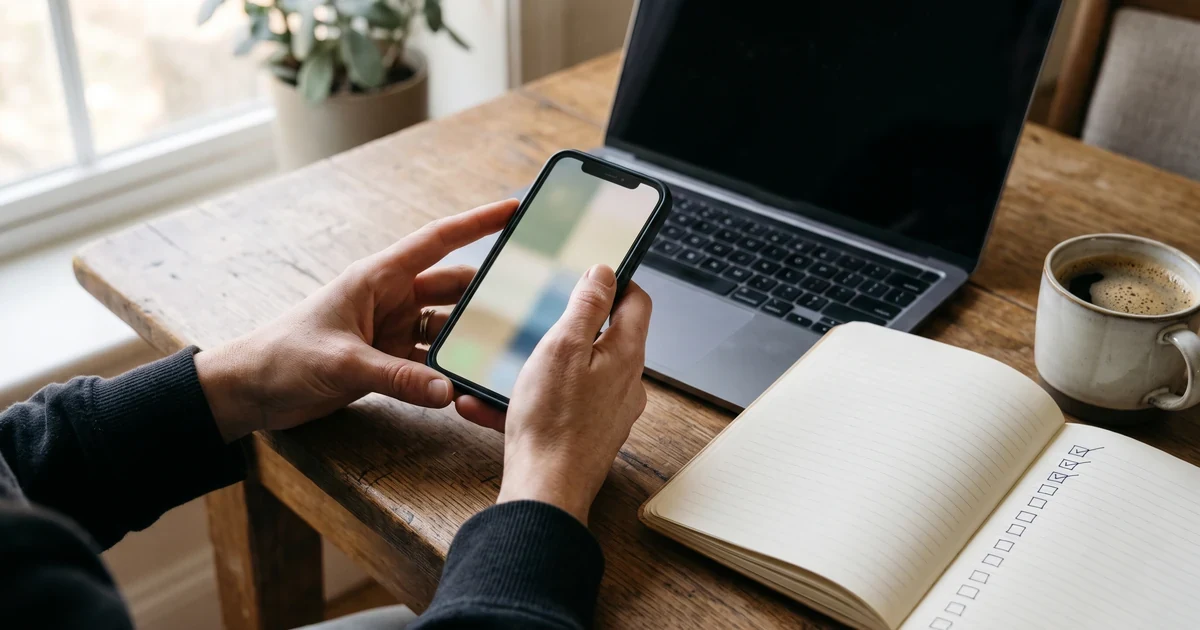
You described an app to an AI tool and a few evenings later it runs on your phone. Then you open App Store Connect and Play Console, and the work changes shape. Nobody asks how the app was built. They ask who you are, what data the app collects, whether a user can delete an account, and whether the build was signed by the right account.
Building an app got fast. Store review did not. This guide walks through what both stores ask for before a first submission, in the order you will meet it. One thing up front: Apple and Google make the decision. Nobody outside those two companies can promise an approval, and you should be careful with anyone who does.
Open the developer accounts in your own name
You need two accounts. The Apple Developer Program costs 99 USD per membership year, and you can enroll as an individual or as an organization. Apple shows the price in local currency during enrollment, so the amount you see may differ. An organization has to be a legal entity and needs a D-U-N-S Number, which Apple uses to verify it. Google Play Console charges a registration fee when you open the account, and it separates personal accounts from organization accounts. That difference matters more than it looks, and the next section is about it.
Open both accounts yourself, in your own name or your company's name. The app is published under the account that submits it, and that account is what you own at the end. Anyone who helps you should be added as a user, not handed your password. One detail on Apple's side: Certificates, Identifiers and Profiles is only available to the Account Holder and to members of an organization's team. On an individual membership the people you add in App Store Connect are not part of your developer team, so the signing setup is done at your own login, or with an App Store Connect team API key that you create once Apple has approved your request for API access, and that you can revoke.
The Google Play rule that catches new accounts
If your Google Play account is a personal one created after November 13, 2023, you cannot go straight to production. Google requires a closed test first: at least 12 testers who have been opted in continuously for at least 14 days. Only then can you apply for production access, and in that application Google asks about your testing and whether the app is ready.
Google first announced this rule with 20 testers and lowered it to 12 in December 2024. The two weeks did not change. Two practical consequences follow. You have to find the testers yourself: friends, colleagues, the first people who asked for the app. And the 14 days run on the calendar however polished the app is. Google lets you start a closed test only after the app setup in Play Console is complete, store listing details included, so finish that setup early and start the closed test as soon as you have a build that opens.
Plan the calendar around it. On a new personal account, 14 days is the shortest possible time between your first closed test and a production application. It is a floor, not an estimate.
What review finds in apps built with AI tools
Apple publishes its own number on this. On average, over 40% of unresolved review issues fall under guideline 2.1, App Completeness: crashes, placeholder content and incomplete information. An app that came out of an AI tool is exposed to that list, because a demo that runs is not the same as an app where every button has been tapped. These are the points to check first.
Placeholder content and dead ends
Guideline 2.1 asks for a final version: placeholder text, empty websites and other temporary content have to be gone before submission, and if the app has a login you provide a demo account with the backend switched on. Look for sample data, a settings screen that leads nowhere, or a link to a privacy page that does not exist yet. Tap through every screen on a real device before anything is submitted.
Account deletion
If your app lets people create an account, Apple requires that they can start deleting it inside the app. Only offering to deactivate or disable the account is not enough. Google asks for the same thing in two places: inside the app and on the web, with the web link entered in your Data safety form so that someone who already removed the app can still ask for deletion. Check this one yourself: a sign-up screen is easy to generate, and nothing forces the tool to add the deletion flow that goes with it.
Sign-in options
Guideline 4.8 applies when the app uses a third-party or social login, such as Google Sign-In, to set up the user's primary account. In that case the app must also offer another login service as an equivalent option: one that limits data collection to the name and email address, lets people keep their email address private, and does not collect app interactions for advertising without consent. The rule does not apply if the app only uses your own account system.
Payments for digital features
If the app unlocks features, premium content or a subscription, guideline 3.1.1 says it must use in-app purchase, with exceptions that the guidelines list by region and app type. A web checkout page wired into the app to sell a digital subscription does not meet that rule unless one of those exceptions applies. Setting up products, entitlements and a paywall on both stores is its own piece of work; we wrote about it in adding subscriptions with RevenueCat.
A website inside a wrapper
Some AI tools produce a web app. Putting that web app inside a native shell does not make it a store app in Apple's eyes: guideline 4.2 asks for features, content and UI that lift the app beyond a repackaged website. If your tool exports an Expo or React Native project, the screens are native rather than a wrapped website, though review still judges whether the app offers enough features and content. If it only gives you a URL, the store route is a different and less certain job. The same guideline has a line written for generated apps: under 4.2.6, apps created from a commercialized template or an app generation service are rejected unless the provider of the app's content submits them directly. That is one more reason to publish from your own account.
The privacy forms on both stores
Both stores make you declare what the app does with data, and both show your answers on the store page. On the App Store these are the app privacy details: Apple requires them for new apps and for updates, they have to cover the third-party code inside your app, and a public privacy policy URL is mandatory. On Google Play it is the Data safety form on the App content page, where you state which types of user data the app collects and shares.
The trap here is answering from memory. An AI tool may have added an analytics package, a crash reporter or an authentication library that you never asked for by name, and each of them can collect data you have to declare. Open the project's package list and answer from what is installed, not from what you remember asking for.
The build: signed by your account, at the 2026 levels
Both stores raise their technical floor over time. Since April 28, 2026, apps uploaded to App Store Connect must be built with Xcode 26 or later using the iOS 26 SDK. Since August 31, 2026, new apps on Google Play must target Android 16, API level 36. A project generated on Expo SDK 53 or older can miss both: SDK 53 targets API level 35, and Expo says not all SDK versions before 54 are compatible with Xcode 26.
For an Expo project the check is short. At the time of writing, Expo's version table lists SDK 56, 57 and 58, and all three target API level 36 and build with Xcode 26.4 or later. If your tool generated the project on an older SDK, the upgrade comes before the submission, and Expo's own advice is to move one SDK version at a time. We cover that path in getting an outdated Expo app back on the stores.
Then the store page itself: name, subtitle, description, keywords, category, age rating, and screenshots at the sizes Apple lists as required. Apple's guideline 2.3.3 asks for screenshots that show the app in use, not just a title screen, a login page or a splash screen. Take them from the running app.
Submission, review time and rejections
Apple says its review team typically handles at least 50% of submissions in less than 24 hours and 90% in less than 48 hours, and that an incomplete submission can be delayed or fail. Google gives new personal accounts no shortcut: the production application comes after the 14 days of closed testing. Google says its review of that application usually takes seven days or less, and it can ask for more testing if fewer than 12 testers stayed opted in or the testers did not use the app enough. Add your own preparation time on top of both.
A rejection is a message, not a final verdict on the app. Read which guideline it cites, answer the review team in App Store Connect, fix what they ask for and resubmit. Some rejections are about the listing or a missing note for the reviewer. Others need a change in the app itself, such as adding the account deletion flow, and that change has to be made in the tool you built the app with.
Before you press submit
- Both developer accounts are open in your name or your company's name
- On a new personal Google Play account, the closed test with 12 testers has run for 14 days
- Every screen works on a real device and no placeholder content is left
- A user can delete their account inside the app, and on the web for Google Play
- The privacy policy is public, and the privacy answers match the installed packages
- The build targets API level 36 and was built with Xcode 26 or later
- The review notes include a demo account if the app has a login
FAQ
Can I publish an app that an AI tool wrote?
Yes, if the tool gives you a project you can build and sign yourself. Review looks at the app you submit: whether it is complete, what data it collects, how it handles accounts and payments, and whether it is more than a website in a wrapper.
How long does it take to get an AI-built app on the stores?
Apple says it typically reviews at least 50% of submissions in less than 24 hours and 90% in less than 48 hours. On a personal Google Play account created after November 13, 2023, the closed test alone takes at least 14 days before you can apply for production access, and Google says its review of that application usually takes seven days or less. Your own preparation comes on top, and it depends on how many of the blockers above the app still has.
Do I need a company to publish an app?
Usually not. Apple lets you enroll as an individual, and Google Play has personal accounts. Google does require an organization account for some kinds of apps, such as financial services, health apps, VPN apps and government apps. A company account asks for more paperwork: Apple requires an organization to be a legal entity with a D-U-N-S Number, and Google also asks organization accounts for a D-U-N-S number. On Google Play, personal accounts created after November 13, 2023 have to run the closed test first.
What do the stores charge for a developer account?
The Apple Developer Program is 99 USD per membership year, shown in local currency when you enroll. Google Play Console charges a registration fee when you open the account. These fees go to Apple and Google and are separate from anything you pay someone to prepare the submission.
Can anyone guarantee that my app will be approved?
No. The decision belongs to Apple and Google. What can be done is to check the app against their rules before submission, say plainly what is likely to be rejected, and answer the review team until the app is approved or the rejection needs a change in the app.
If you would rather hand over the store side
This list is the work we packaged as VibeToStore: a fixed-fee service for one app on both stores. We run a store readiness check, write the listing for your approval, fill in the privacy and data forms, prepare signed builds on your own developer accounts, submit to both stores and answer the review team. The accounts, the app and the listing stay yours. We do not promise an approval, because that decision is not ours to make.
Sources
- Apple: App Review Guidelines
- Apple: App Review
- Apple: offering account deletion in your app
- Apple: app privacy details on the App Store
- Apple: Developer Program enrollment
- Apple: upcoming requirements
- Google Play Console Help: app testing requirements for new personal developer accounts
- Android Developers Blog: account deletion policy
- Android Developers: target API level requirement
- Expo: SDK version table
- Expo blog: the Xcode 26 requirement and Expo SDK versions
- Apple: Developer Program roles
- Apple: screenshot specifications
- Google Play Console Help: developer account types
- Android Developers Blog: ensuring high-quality apps on Google Play (testing requirement)
- Android Developers: declare your app's data use
- Apple: App Store Connect API access and keys
- Google Play Console Help: set up your app on the app dashboard
- Expo: SDK 55 reference, with the Android and iOS versions of SDK 53 to 55
Tell us which tool you built the app with and where the code lives. Write to us and mention VibeToStore, and we will tell you whether the app fits the fixed fee and what the stores will ask of you.
More from the blog
Your Expo App Fell Behind the Stores: How to Ship an Update Again
Your Expo or React Native app is live, but the next update will not build or upload. What Apple and Google changed, how far behind you are, and the order to fix it.
What App Maintenance Covers, and What Happens to an App Without It
A live app sits on two platforms that keep changing. What stops working when nobody maintains it, and what a monthly maintenance routine is made of.
App Developer Disappeared? Take Your App Back
App developer disappeared? Check whose name is on your Apple and Google accounts, get the code and signing keys back, and move the app into your own account.